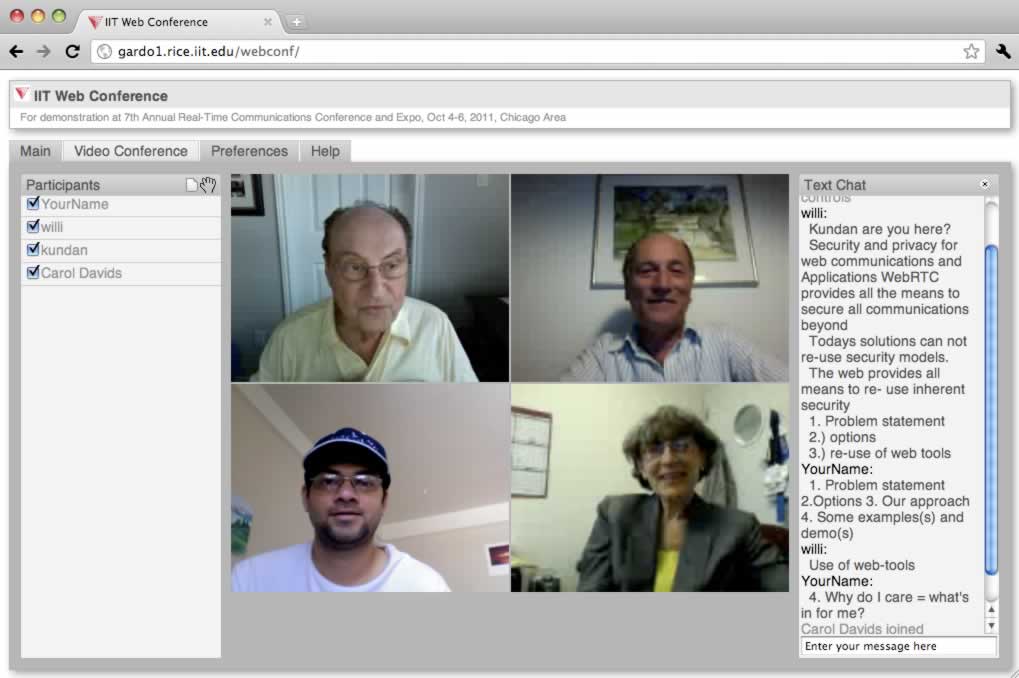
Showing posts with label SIP. Show all posts

Command line Twilio client - part 2

[This is continuation of the previous post]

The command line SIP endpoint included in my rtclite project allows SIP registration to register with a SIP server to receive SIP calls. For example, you can signup for a free SIP account at iptel.org, download rtclite and py-audio on OS X, open two terminals, run the rtclite.app.sip.caller app on one to register, and on another to place a call as follows:

Command line Twilio client

[This post is neither contributed not endorsed by Twilio]

Twilio client [1] enables embedding voice conversation in web and mobile apps, by creating a voice pipe between your browser or mobile device and the service. One thing missing there is the ability to create such a voice pipe from non-mobile or non-web programs, such as a command line application. There is a shell script [2] to place a call for testing from command line, but it uses pre-defined text or recorded file for media, and looses the real-time interactive nature of the voice path. In particular, it does not create a voice pipe between the local machine and the service.

Motivation

Ability to connect real-time interactive voice path from an application opens doors to wide range of other use cases such as media path processing and analysis, e.g., for real-time transcription, or to bridge call between diverse services, e.g., translate between IM and voice call. Secondly, such as mechanism is independent of a specific browser or mobile platform, and can work in headless mode for automated testing or client-side programmability of voice call or its media path.

At the high level, there are four potential ways to create such a voice pipe. Two of these can be accomplished using my rtclite project, that we will describe in more detail in this article.

  1. WebRTC - using Twilio 1.3+ web client with command line WebRTC app
  2. Using Twilio mobile client interface ported to command line app
  3. RTMP - using Twilio 1.2 web client API with command line RTMP client
  4. SIP - send/receive SIP call to/from Twilio [3]

The first two approaches essentially implement a command line version of the web and mobile SDKs. For example, a WebRTC stack compiled for Linux/OS X may be used to accomplish (1). The third approach uses a command line RTMP client and an older version of client API, and the fourth one uses a command line SIP endpoint to dial into the service.

We describe how to do the last two using software pieces from our open source rtclite project [5]. The following video demonstration shows the command line call initiation. Don't forget to view in full screen!


Connect to Twilio from command line SIP endpoint

The approach is described on the provider's website [3] including the steps for creating the SIP domain/endpoint such as yourname.sip.twilio.com. The description there is targeted for VoIP providers rather than client. Currently it is not possible [4] to configure your SIP softphone to use the Twilio service as SIP server.  Once the SIP domain is created, you can send request to "sip:something@yourname.sip.twilio.com". The sender's IP address needs to be white-listed or the caller's credential needs to be preapproved for authentication. we have only tried the IP address white-listing, and not the SIP authentication using credentials.

After configuring a SIP endpoint, you should be able to see the SIP domain and its associated voice URL on the provider's website, e.g., "yourname.sip.twilio.com" mapped to voice URL of "http://yourserver/yourtwiml.xml".A simple call forwarding can be done using the following TwiML. These steps can be used to connect to any other TwiML application from the command line SIP endpoint, if you configure your SIP endpoint's voice URL accordingly.

<?xml version="1.0" encoding="UTF-8"?>
<Response>
  <Dial timeout="20" callerId="1415xxxxxxx" method="POST">415yyyyyyy</Dial>
</Response>

You can also create programmable server side script to derive the target number using the called SIP address. For example, send call to sip:1415yyyyyyy@yourname.sip.twilio.com, and in your script, extract the user name part of the URL to populate the Dial tag's content.

Once the initial configuration is complete, use the SIP endpoint available in the rtclite project to initiate a call. More details on the command line SIP endpoint are available in my previous blog post as well as on the project website [6]. After setting up the initial dependencies of the project, run the caller module as follows.

$ python -m rtclite.app.sip.caller --domain=example.net --use-lf --samplerate=48000 \
         --to=sip:something@yourname.sip.twilio.com

The "domain", "use-lf" and "samplerate" options are described on the project website. The "to" option is important, and represents the target address to call to. Once the call is established, the py-audio project's modules are used to interface with the audio device, and to send and receive audio in the call.

Some important notes follow. For a demo account with the provider, your callerId and target number in the Dial tag must both be verified for your account. Some Internet Service Providers (ISP) may block a SIP request on port 5060. In fact, I sometime experience wifi reset of my residential equipment, when I send a SIP packet out from my home machine to outside VoIP service. Router interference of SIP messages may also be the reason for incorrect CRLF handling, and the need for use-lf option. Using TLS may be an option to work around router interference. Make sure that the sample rate specified on the command matches the allowed sample rate of the audio device on your client machine. On Mac OS X, audio capture is usually done with 48kHz.

Connect to Twilio from command line RTMP client

Here, we exploit the older Flash-based Twilio Web Client SDK version 1.2. First, we describe how to figure out the client-server RTMP message flow, and next we show how to do this using the rtmpclient module from the rtclite project.

The web client SDK 1.2 used this twilio.js javascript file. A quick look indicates that it internally loads another twilio.js file.

This second JavaScript file shows that the Flash-based client-server connection is accomplished using the MediaStream class which internally attempts RTMP connection to the service.

Using the hello-client-monkey.php example from the provider, but hosted on your website, and running wireshark on default RTMP port 1935, you can find more information about this client-server exchange. Make sure to use http instead of https for your hosted web app to avoid encryption. The following screenshots show a few example RTMP messages, and their order, and the parameters sent in the initial connect request.

In summary, the NetConnection's connect is done to "rtmp://chunder.twilio.com/chunder", with additional 6 arguments. The first argument looks like the capability token generated by the helper library. The second and third are null and empty string respectively. The fourth one is a JSON formatted string with some client side attributes. The fifth looks like the account SID. And last one looks like the client SDK version. After connect is complete, there are two createStream calls and a startCall RPC method. This is followed by a received RPC method callsid from the server. Next, the "input" stream name is published, and "output" stream name is played. This is followed by bunch of audio data.

We wrote an example application, client.py [7], which uses the rtmpclient module from the rtclite project, and automates client-server exchange process. It then connects the audio sent/received on the two streams to the local audio device. Although, not well tested, there are other command line options in this application that allow recording the received stream, or playing a file to the sent stream.

The command line application takes three mandatory parameters, which if not supplied, will be prompted for. These parameters are for account SID, auth token and application SID. The client application then connects to the service using RTMP and uses those supplied parameters. An example command line invocation is shown below, where the three parameters are fake - use the correct values in your test!

$ python -m rtclite.vnd.twilio.client --account=ACXXXXX --token=YYYYY --app=APZZZZZ

Use ctrl-C to terminate the client application.

Comparison

Here, we attempt to compare our two approaches for command line client: SIP and RTMP.

The audio codec used are G.711 in SIP and Speex in RTMP. Thus bandwidth requirement is more for SIP, but can theoretically give better quality, e.g., for real-time transcription. It may be possible to send G.711 in RTMP to server, but is not clear how to force the server to send back G.711 in RTMP. The media path is over UDP (RTP) for SIP vs. TCP for RTMP - making RTMP one more suseptible to network issues such as latency in interactive conversations. While both these are voice only at this time, using WebRTC or Mobile SDK based approach may allow video pipe. The py-webrtc project may become useful for this, once it is completed.

The SIP approach has provider supplied documentation on how to do incoming calls, but the RTMP approach requires more work to figure that out. The SIP approach seems to target server-to-server call flows, e.g., to connect your soft PBX to provider service. Due to router interference of SIP messages, it may not work in all the cases or all the time from a client machine. On the other hand, the RTMP approach is inspired by the client SDK, and hence suitable for clients. However, Flash-based client has been deprecated by the provider, and the corresponding service may no longer be available in near future. Moreover, RTMP is kind of an obsolete technology. Using WebRTC or Mobile SDK approach will work better in that case. Once SIP registration becomes available on the provider service, a standard command line SIP endpoint [6] should be enough for send/receive of calls.

References

  1. Twilio client: embed voice conversation in Web and Mobile Apps, https://www.twilio.com/client
  2. Twilio Labs: place a Twilio call from the shell, https://www.twilio.com/labs/bash
  3. Programmable voice SIP, https://www.twilio.com/docs/api/twilio-sip
  4. Can I configure my soft phone to work with the Twilio SIP endpoint, https://www.twilio.com/help/faq/voice/can-i-configure-my-soft-phone-to-work-with-the-twilio-sip-endpoint
  5. Rtclite: light weight implementations of real-time communication protocols and applications in Python, https://github.com/theintencity/rtclite
  6. Command line SIP endpoint, https://github.com/theintencity/rtclite/blob/master/rtclite/app/sip/caller.md
  7. Command line Twilio client, https://github.com/theintencity/rtclite/blob/master/rtclite/vnd/twilio/client.py

How to make phone calls from command line?

This article presents a command line SIP endpoint available as part of my rtclite [1] project. It is useful in a number of scenarios such as:
  • dialing out a phone number from command line, 
  • performing automated VoIP system tests, 
  • showing quick demos of communication systems, or 
  • experimenting with media processing on the voice path, e.g., for speech recognition, recording or text-to-speech. 
These tasks cannot easily be done using existing user interface based web, installed or mobile apps. I had implemented something like this, named sipua [2], about 15 years ago in C/C++ at Columbia University. There are other projects such as sipp [3], pjsua [4] or sipcmd [5] that implement some version of command line SIP user agent, but may have limitations such as lack of support for audio capture device, or hard to extend to add new media processing capability such as text-to-speech. This article describes a SIP endpoint written in Python [6] as part of my open source project.

Click here to see the full description of this SIP endpoint written in Python [6].

The project page shows how to use the SIP endpoint to send/receive instant messages and voice call. The command line options allow you to configure various attributes such as whether to register with a SIP server, how to respond to incoming requests, how to work around SIP entities that incorrectly handle CRLF for line endings, how to test signaling without media path, and so on. The project page also describes how to use the module in your own Python project.

Following video demo of the SIP endpoint shows interoperability with X-lite terminal and dialing out toll free numbers using a VoIP provider. It shows how to dial a phone number using a VoIP provider, how to send DTMF digits from terminal, and some experimental features such as text-to-speech and speech recognition. Do not forget to watch in full screen!


References

  1. Rtclite: light weight implementations of real-time communication protocols and applications in Python, http://www.rtclite.com, https://github.com/theintencity/rtclite
  2. Sipua: a SIP test user agent for Solaris, Linux, FreeBSD and Windows NT, http://www1.cs.columbia.edu/irt/cinema/doc/sipua.html
  3. SIPp: free open source test tool/traffic generator for SIP, http://sipp.sourceforge.net/ 
  4. Pjsua: open source command line SIP user agent (softphone), http://www.pjsip.org/pjsua.htm 
  5. sipcmd: the command line SIP/H.323/RTP softphone, https://github.com/tmakkonen/sipcmd
  6. caller: SIP application to initiate or receive VoIP calls from command line. https://github.com/theintencity/rtclite/blob/master/rtclite/app/sip/caller.md


Introducing rtclite

We have attempted to unify our diverse Python based projects related to SIP, RTP, XMPP, RTMP, REST, etc., into a single theme of real-time communication (RTC). In particular, we have migrated the relevant source code from other projects to the new "rtclite" project after cleanup and refactoring. Moving forward, any new functionality related to Python implementations of real-time communication protocols and applications will be done in this new project.

Over the next few weeks, we will continue to evolve this project, migrate or fix issues/comments,  and deprecate the previous older projects. 

I will also write blog posts here  to introduce various specific modules and how they are used in real world in the new few weeks.

From the project page at http://www.rtclite.com (currently forwards to https://github.com/theintencity/rtclite)

"Light-weight implementations of real-time communication protocols and application in Python

This project aims to create an open source repository of light weight implementations of real-time communication (RTC) protocols and applications. In a nutshell, it contains reference implementations, prototypes and sample applications, mostly written in Python, of various RTC standards defined in the IETF, W3C and elsewhere, e.g., RFC 3261 (SIP), RFC 3550 (RTP), RFC 3920 (XMPP), RTMP, etc."
We encourage all users of my open source projects to visit this new project, and if possible migrate your applications to use this new project.

rtclite


WebRTC vs. SIP/SDP

Every time a new protocol appears in the protocol jungle of multimedia communications [2], people attempt to compare and contrast it with existing established protocols, such as SIP. With WebRTC as the new kid on the map, you can find several attempts to compare SIP and WebRTC [3][4][5][6][7]. Depending on which camp the comparison originates from, you may find flavors of favoritism, or unintentional downplay of the importance of the other camp.

This article presents my point of view, hopefully unbiased, on this topic. Let me start by saying that SIP and WebRTC are different, and it is not fair to compare them without an established context.

Complex protocol vs. simple API

SIP is a protocol, not an API; whereas WebRTC is an API, with an associated set of protocols.
Consider that TCP is a protocol but socket is an API. TCP has complex state machinery to enable reliable bi-directional end-to-end packet flow assuming that intermediate routers and networks can have problems but end to end reliability is assured. On the other hand, the socket API hides all the complexity of TCP and provides an easy to use abstraction. Luckily in the case of TCP, developers only work on top of the standardized socket API. Whereas in the case of SIP, usually they end up dealing with the protocol directly, or work with (partly broken) implementations of intermediate network element such as a SIP proxy, or use (poorly defined) APIs from third-party SIP libraries. Depending on what level of abstraction is exposed in the SIP library, the development effort can range from very simple to very complex. In the case of WebRTC, the API is being defined and standardized, and is intended as a high level abstraction suitable for  JavaScript/Web developers.

To list the differences between SIP and WebRTC - one could say that SIP is programming language agnostic but WebRTC is not, and must use JavaScript, or that SIP application could run on any device or platform, but a WebRTC application requires a browser to host the app. These are superficial differences - due to the core difference in the nature of SIP vs. WebRTC, i.e., protocol vs. API.

SIP would have been perceived as much simpler if there were well defined APIs from the start. But that would have limited the flexibility (and freedom) of what SIP could be used for. More on the flexibility and freedom is discussed later in this article.

One thing to note, however, is that WebRTC does use a set of complex protocols behind the scenes, many of which are shared by a SIP system, as we describe next. Although a web application using WebRTC is simple due to the high level API, the implementation of WebRTC in a browser itself is not that simple!

Protocol stack

SIP is an established protocol for Internet communication. WebRTC is an emerging API intended to be provided by the browsers and consumed by the applications in JavaScript. It has an associated set of protocols, some of which overlap with those used in a SIP system. The title of this article indicates a comparison of WebRTC with SIP/SDP, and not just with SIP. This is because SIP is often only a part of the overall puzzle in a real world communication system, as shown in the following diagram taken from my research paper [1].  In fact, the role that SIP plays in a real system is outside the scope of the WebRTC specification currently. Which means that it does not really make sense to compare SIP alone with WebRTC protocols, but it is okay to compare a SIP system with that based on WebRTC.


Comparison of typical SIP vs WebRTC application stack. The dotted line separates what is programmed by the application developer and what is provided by the platform. 
Although most SIP systems use SDP, it is not a requirement, and some SIP systems may use something else if needed. Same thing holds true for other protocol elements such as RTP for media transport. However, within the context of a voice and video call application, you will likely see the above mentioned protocols in effect. On the other hand, the WebRTC effort specifies the mandatory set of protocols including SDP, SRTP and ICE, and also, the minimum list of mandatory audio and video codecs, which must be implemented by a WebRTC capable browser. In the diagram above, while SIP is only one block in the system, WebRTC specifies multiple blocks including the API, codecs, SRTP/RTP/RTCP, ICE and to some extent SDP. While SDP is used in the WebRTC API, an application is free to change it to anything else when exchanging the session information with the peer, if needed. Defining and mandating more things in WebRTC makes the interoperability a little easier, unlike SIP where many such things are left to the implementation. We will talk about interoperability later in this article.

Network elements

The SIP specification defines the behavior of an endpoint (or user agent) as well as various network elements such as proxies and redirect servers. Other SIP extensions define more network elements such as a conference server, a presence server, and so on. With WebRTC, the focus is only on browser-to-browser communication, and only the browser's behavior is defined in the specification. Other elements such as a gateway or media server are free to implement the behavior. However, that part is likely not going to be standardized. This hopefully limits the number of specifications related to WebRTC, and hence limits the resulting complexity.

This does not mean that WebRTC systems will not need such network elements. Ability to call a phone number via a gateway, or to host a multi-party voice mixing or recording on a media server, or to locate the target user via a lookup service are all examples of crucial services required in many real world applications. Lack of standardization means that every vendor will likely define its own version of these elements, creating fragmentation. Such scenarios are actually inline with WebRTC's goal which aims at creating media path among browsers visiting the same website, and does not care for inter-website communication. More on interoperability vs. fragmentation is discussed later in this article.

Fortunately, it is entirely possible to create fully functional WebRTC systems without using complex or heavy weight network elements. In fact, many initial demonstrations of WebRTC applications have followed this path with peer-to-peer media flows, along with a very simple signaling/rendezvous service. SIP, too, started out with this model of peer-to-peer media flows with a simple signaling/rendezvous service in the form of a SIP proxy or redirect server. However, practical limitations and real-world deployments have mostly thrown this idealistic model out of the window, and have largely adopted a "managed" network centric model with heavy weight network elements in the form of back-to-back user agents, session border controllers, and call stateful proxies. It is likely that the similar real world forces may cause a similar network centric deployment model in the case of WebRTC. Only time will tell!

Message flow

To establish a multimedia call, three pieces of information are exchanged between the two parties - (1) an "invite" from caller to callee as an intention to establish a call, which the callee may answer or decline, or ignore, (2) session description containing capabilities of each party, (3) transport candidates for establishing connectivity on the media path, hopefully peer-to-peer. Let us call these steps as (1) "invite", (2) session description exchange and (3) transport candidates exchange.

In a WebRTC-based application, these may be separated out into different phases or may be combined together, as determined the web application. In fact, (1) above is not part of the specification, but is often implemented in a WebRTC call, and (2) and (3) are exchanged between the two parties using an out-of-band channel outside the scope of the WebRTC specification. The term "trickle ICE" refers to separating (3) from (2) in a WebRTC session negotiation, and is the default mode - although it is possible to not use it, as determined by the web application. In a SIP system, all three pieces are usually bundled in a single request-response transaction and are carried in a SIP INVITE and it's 2xx response between the two parties, often via one or more intermediate proxies.

The separation of these pieces of information in WebRTC makes it more flexible, e.g., an application can invent any kind of user lookup service over any protocol (HTTP POST, WebSocket, XMPP, Google Channel, LDAP, hard-coded, or whatever, or even SIP [1]). Some applications may not even need such a lookup service, e.g., a virtual presence application where everyone who visits the website is able to see and hear others on that site. Unlike this, in SIP, a user lookup service must be accessible via SIP.

For those who remember H.323, and its multiple steps of call setup in version 1, may argue that we have come back a full circle - started with multiple steps call setup, invited H.323 fast connect and SIP for single step call setup, and now back to multiple steps to establish a WebRTC call. However the situations are different in H.323 vs. WebRTC - in H.323 all the steps were done by the same entity, and after the initial "invite" step, the subsequent ones were follow through, with no perceived benefit to keep them separate. In the case of WebRTC, the "invite" step is outside the scope of WebRTC specification, hence it makes sense to keep it separate. The last transport candidates exchange step is incremental with real benefit to keep it separate from session description exchange, so that better peer-to-peer flows can be detected in future, which first peer-to-peer flow that works gets in use as soon as possible. In the case of H.323, there is no equivalent of this step in my opinion, because the second and third steps are about exchanging media capabilities, and then establishing fixed set of logical channels based on those media capabilities.

The SIP specification and many of its extensions, such as call transfer, interoperability with phone, or capabilities of user agents, actually deal with only the first piece of information mentioned above, i.e., how to reach the target user or device, and are often related to the notion of a "call". In WebRTC specification, there is no notion of a "call", or signaling to lookup the target user. It is assumed that such constructs and concepts belong to the web application or the website that is hosting the application. This gives flexibility to the application developer on how to implement advanced features such as conferencing or call transfer. With more flexibility, comes more power, and more non-interoperability, described next.

Interoperability vs. fragmentation

In the past fifteen years, non-interoperability has been a major problem in the SIP community. Although it is often easy to achieve interoperable voice call signaling, it is rather difficult to make sure that those hundreds or thousands of SIP systems out there will implement every little detail consistently as per the specification. Moreover, there is no mandatory codec defined by SIP, which means that two perfectly compliant SIP endpoints may not talk to each other.

With WebRTC, you only need to achieve interoperability among the major browsers. WebRTC easily enables communication between users visiting the same website, where the application fills the void of signaling, user lookup, and the likes. Since signaling is outside the scope of the specification, interoperability between users visiting separate websites is not readily available and requires one-to-one federation between the two websites or web application. This fragmented communication behavior is inline with how existing web applications behave, i.e., they tend to create islands of users, where users within an island can talk to each other, but not beyond. Have you ever thought of being able to reach your Linked-In contact from your Facebook page? I have, and have tried to do something about it [8][9].

The fundamental difference of triangular vs trapezoidal call model in WebRTC vs SIP, respectively -- which means the two parties are connected to the same server in WebRTC, whereas two parties can potentially be on separate servers in SIP -- results in major differences in interoperability requirements.

The triangular way of WebRTC is not how VoIP community perceived open communication to be. From that perspective, even though WebRTC is an emerging open standard, it will created closed walled gardens of communication islands - leading to communication fragmentation. Unfortunately, even in SIP-based systems, due to non-standard behaviors in implementations or different implementation choices (e.g., codecs) by different vendors, it tends to create fragmented islands, where an equipment from one vendor rarely talks freely with that of another. This tends to create an ecosystem, where a customer must purchase phone endpoints and servers from the same vendor, because it is often hard to achieve true mix-and-match interoperability out-of-the-box.

The problem is more relaxed in the case of WebRTC, because there are only a few major browsers, and the protocol specification does not involve any signaling or media server, except for generic STUN and TURN servers, when appropriate. A fair comparison would have been possible if there were hundreds or thousands of browsers implementing WebRTC, similar to the plethora of SIP implementations that exist today. Or if there were only five major vendors creating SIP user agents. With SIP, the protocol was invented first, followed by an attempt to deploy the user agents and servers. With WebRTC, we already had user agents (browsers) and servers (web servers, STUN/TURN servers), and we put together a set of protocols to let them talk in real-time.

By leaving signaling outside the scope, a WebRTC specification escapes many problems related to non-interoperability. In practice, fragmentation seems to be unavoidable, largely due to business reasons -- or lack of incentive for one website to let its users talk to that on another website. The benefit of better interoperability, maintainability and usability far out weighs the cost of fragmentation for many websites and web applications. For some applications that require cross-site communication, a gateway can do the job, without being part of the specification.

The biggest non-interoperability and fragmentation threat to WebRTC is that some major browser vendors may not implement it altogether, or may implement a variant of the specification, making it non-interoperable with other browsers. Hopefully, market pressure will stabilize the interoperability among major browser. Or developers will find alternatives (plugins? gateways?) to fill the gap. Again, only time will tell!

Flexibility and freedom

We have mentioned about flexibility at the protocol and application level. In summary, SIP provides greater flexibility at the protocol level and WebRTC at the application level. With greater flexibility comes more freedom to innovate, and unfortunately, more problems in interoperability. 

First, SIP provides flexibility at the protocol level, e.g., ability to use non-SDP based session description, or ability to use RTP vs SRTP vs ZRTP based media transport, or ability to add newer extensions for media path or call signaling. WebRTC mandates many such elements in the protocol, e.g., use of SDP, SRTP, ICE and so on. In future, if a newer or better media transport, NAT traversal or session description is invented, the specification will need to be changed to incorporate that. However, upgrading the specification when there are only a few browser implementations should not be a nightmare, especially if the upgrade is backward compatible. Once WebRTC specification gets ratified, it leaves little room to change or improve, in an implementation. With SIP's flexibility and resulting freedom, people have created many hundreds of different implementations and use cases using the same base protocol. WebRTC lacks the ability, for example, to implement non-trivial media path, such as application level multicast or local LAN broadcast, or to let the web application configure differential service for different media flows, or to let the web application inject text-to-speech in a media path.

The protocol flexibility of SIP comes at a price - no guarantee of common features such as security or common codecs in different implementations. For example, the voice path in one SIP call could be unencrypted and in another could be encrypted - determined by the implementation choice. Whereas in WebRTC, many of such features are well defined and mandated, as described in the next section.

Keeping the signaling part out of scope and defining the API give good application level flexibility to WebRTC systems. As mentioned before, features such as call transfer, conferencing or user lookup are application's responsibility. This allows a social website to implement these features different from a click-to-call provider's website, for example. Given the numerous websites, and their potential for incorporating real-time in-browser communication, such flexibility is very useful and highly desired.

Protocol differences in SIP vs WebRTC system

Both SIP and WebRTC systems use certain common set of protocols, e.g., SDP for session description, ICE for NAT traversal, and (S)RTP for media transport. The following chart from my paper [1] summarizes the interoperability differences.

Interoperability differences in SIP vs WebRTC; (o) means optional.
In practice, the session description (SDP) and media path defined by WebRTC requires many extensions, that are not found in existing SIP systems, and hence it is very hard to transparently interoperate between the two without using a media gateway. Eventually, one would hope that existing SIP systems would adapt to incorporate these new extensions. But history has told us that this is next to impossible - given the large number of SIP implementations, and given the availability of media gateways. Thus, a browser-to-SIP call will almost always involve a media gateway, unless you sell your own SIP endpoint.

Frequently asked questions (FAQ)

I have heard these. You will likely hear them too.
  1. Are SIP and WebRTC competing technologies? Yes and no. It depends on the context. As an access protocol to connect a client to an established voice/video service or infrastructure, yes. For anything else, most likely no.
  2. Is WebRTC a subset or refinement of SIP? No. WebRTC has certain elements and features that are not present in SIP/SDP. For example peer-to-peer data channel, or trickle ICE, or programming APIs. 
  3. Is WebRTC a superset or generic case of SIP? No. A SIP-based system includes elements and features that are not present in a WebRTC browser, e.g., well defined network elements, call event notifications, or user lookup service.
  4. Is WebRTC similar to P2P-SIP? or Jingle? or RTMFP? or name-your-favorite-here? No, for all. In theory, WebRTC has some overlap with session description and media path of a standard SIP system. In practice, WebRTC is very different from any of the existing systems we had.
  5. Does SIP make WebRTC better? What about the other way? Depends on who you talk to. A SIP proponent would argue that cross-site communication and PSTN interoperability requires using SIP at the core, or that SIP in JavaScript is good enough for signaling of WebRTC. A WebRTC proponent would argue that replacing SIP with WebRTC will improve on security, interoperability and call quality. In my opinion, these arguments are either too narrowly focussed or a compelling counter argument can easily be made. So my answer is "no" on both counts.
  6. Can SIP and WebRTC work together, instead of competing? Absolutely. Firstly, they do not compete except in a very narrow context. And secondly, they do work together - the SDP generated by WebRTC can be carried in SIP, directly from the browser or via a gateway. See [1] for alternatives.
  7. Will WebRTC remain at the end, and must SIP be at the core? No. It is entirely possible to create WebRTC capable network elements such as media servers and gateways without depending on SIP, that allow creating voice/video infrastructure with WebRTC at the core. It also possible to create many existing use cases with peer-to-peer media path of WebRTC, without using these network elements at all. 
  8. Does WebRTC have better voice quality than SIP? No. Because, SIP does not specific fixed set of voice codecs or voice quality. At present, when many SIP systems use G.711, G.729 or Speex, the voice quality of Opus used in WebRTC is superior to those SIP systems. However, nobody has stopped those SIP systems from using Opus (and related media engine) in their voice stack.
  9. Will WebRTC improve voice quality of my PC-to-phone application? No. Unless you are talking about smart-phone with WebRTC running on phone also. When voice path gets translated to a phone call, the quality will likely be reduced to G.711 or G.729 or whatever the gateway provider has deemed suitable on the phone network.
  10. Will WebRTC give better voice quality for my conferencing application? Depends. See previous question. For centralized media path (with audio mixer), it requires transcoding, so voice quality will likely suffer. Optimization such as using peer-to-peer voice path, or reflecting loudest-N streams to client without mixing may preserve the end-to-end voice quality in conferencing. 
  11. Why does browser not implement SIP directly? For browser-to-browser use case, SIP is not needed. For anything else where one end is a browser, a gateway can do the job of translating to SIP if needed. And WebRTC is focussed on browser-to-browser use case only. Having said that, it is possible to do SIP in JavaScript [1] running in your browser, or to implement your own plugin or browser with built-in SIP stack and related APIs. 
  12. What does it mean that a SIP conference server supports WebRTC? It could mean that it supports a browser end-point to participate in a multi-party conference over WebRTC, or it could mean that it uses Google's WebRTC media engine or the OPUS/VP8 codec for the voice/video stack but requires SIP/H.323 endpoints to connect. Be careful!
  13. Is WebRTC better than SIP/SDP? Hard to say. WebRTC attempts to fill the gap for a very specific problem, but requires robust, secure and high quality implementation, and defines simple high level API. On the other hand, SIP leaves many such things open to implementers. So for the specific problem, WebRTC is better, some might say.
  14. Between WebRTC and SIP, who will win the racing? There is no racing. Or if there is one, then WebRTC and SIP are racing in different directions, at 90 degrees to each other. Depending on where you look from, or which axis has the finish line, either of them could win. But the truth is, WebRTC is for browser-to-browser communication, where SIP/SDP/RTP is not feasible currently -- so there is no racing. One could argue that with more number of browsers supporting WebRTC than number of SIP endpoints, or with more number of JavaScript developers than number of SIP implementors, WebRTC is likely to win the racing. No comments on that. A more correct analogy of racing, in my opinion, is in specific contexts, e.g., between WebRTC of browser and RTMP+ RTMFP of Flash Player for browser-to-browser communication, or between SIP phone vs.  WebRTC browser for client access to backend voice/video service or infrastructure. 
  15. What is the real difference between WebRTC and SIP? Ah, glad you asked! If you have already read the rest of this article, you will be surprised to find that unlike all the differences mentioned before, the real difference is who the most important customers of WebRTC vs. SIP are - for WebRTC it is the web developers community, and for SIP it has been telecom providers and equipment vendors.

Conclusions

This article has attempted to present several factors comparing and contrasting SIP/SDP vs. WebRTC systems, without really diving in to the specific protocol differences of how SDP/RTP are used in SIP vs. WebRTC. This is because, while WebRTC specifies the list of profiles and extensions to SDP/RTP, the SIP system is free to choose whichever it likes. So any such comparison will end up being one between WebRTC and SIP of vendor-X.

There are similarities and differences between the two types of systems. In the end it is about the applications and user experiences, rather than protocols and APIs. In practice, it is easy for an established SIP-based IVR system to add WebRTC access, compared to that for a newbie WebRTC system to implement full fledged IVR functionality. The same holds true for many existing telecom, web communication and Internet conferencing applications. Thus, many existing SIP-based applications will likely also adopt WebRTC for access, if there is a demand. And similarly, new pure WebRTC-based web applications will likely incorporate SIP gateway-ing to reach out to  non-browser users, if there is demand. SIP or WebRTC itself is just a small piece of the puzzle in the overall system or application. Nevertheless, WebRTC attempts to fill a void that has existed for a really long time in the SIP-based communication world, for which past attempts such as using plugins have largely been unsuccessful, especially on mobile platform.


My WebRTC related papers from 2013

This post gives an overview of my past and ongoing research on web-based multimedia communication. I wrote four published co-authored research papers last year answering these questions - How does WebRTC interoperate with existing SIP/VoIP systems and how does SIP in JavaScript compare with other approaches? What challenges lie ahead of enterprises in adopting WebRTC and what can they do? How can developers take advantage of WebRTC and HTML5 in creating rich internet applications in the cloud? How does emerging HTML5 technology allow better enterprise collaboration using rich application mash-ups? Read on if one or more of these questions interest you...

A Case for SIP in JavaScript

WebRTC (Web Real Time Communications) promises easy interaction with others using just your web browser on a website. SIP (Session Initiation Protocol) is the backbone of Internet communications interconnecting many devices, servers and systems you use daily for your call. Connecting WebRTC with SIP/RTP raises more questions than what we already know, e.g., does interoperability really work? what changes do you need in the existing devices and systems? does the conversion happen at the server or in the browser? what are the trade-offs of doing the translation? what are the risks if you go full throttle with WebRTC in the browser? and many more. There is a need for a fair comparison to evaluate not only what is theoretically possible but also practically achievable with existing systems.
"This paper presents the challenges and compares the alternatives to interoperate between the Session Initiation Protocol (SIP)-based systems and the emerging standards for the Web Real-Time Communication (WebRTC). We argue for an end-point and web-focused architecture, and present both sides of the SIP in JavaScript approach. Until WebRTC has ubiquitous cross-browser availability, we suggest a fall back strategy for web developers — detect and use HTML5 if available, otherwise fall back to a browser plugin."

Taking on WebRTC in an enterprise

On one hand WebRTC enables the end-users to communicate with others directly from their browsers, on the other it opens a can of worms a door to many novel communicating applications that scares your enterprise IT guy. Existing enterprise policies and tools are designed to work with existing communication systems such as emails and VoIP, and employ bunch of edge devices such as firewalls, reverse proxies, email filters and SBCs (session border controllers) to protect the enterprise data and interaction from the outside world. Unfortunately, session-less WebRTC media flows and, more importantly, end-to-end encrypted data channels, pose the same threat to enterprise security that peer-to-peer applications did. The first reaction from your IT guy will likely be to block all such peer-to-peer flows in the firewall. There is a need to systematically understand the risk and propose potential solutions so that the pearls of WebRTC can co-exist with the chains-and-locks of enterprise security.
 "WebRTC will have a major impact on enterprise communications, as well as consumer communications and their interactions with enterprises. This article illustrates and discusses a number of issues that are specific to WebRTC enterprise usage. Some of these relate to security: firewall traversal, access control, and peer-to-peer data flows. Others relate to compliance: recording, logging, and enforcing enterprise policies. Additional enterprise considerations relate to integration and interoperation with existing communication infrastructure and session-centric telephony systems."

Building communicating web applications leveraging endpoints and cloud resource service

One problem with the growth of SIP was that there were not many applications that demonstrated its capabilities beyond replacing a telephone call. This resulted in telephony mindset dominating the evolution in both standards and deployments. At the core of it, WebRTC essentially does most of what SIP aims for - peer-to-peer media flows and control in the end-points. Unfortunately, telephony influence in existing SIP devices, servers and providers have hidden that benefit from the end-user. There is a need to avoid such dominating telephony influence on WebRTC by demonstrating how easy it is to build communicating web applications, without relying on existing (and expensive) VoIP infrastructure. 
Secondly, the open web is threatened by closed social websites that tend to lock the user data in their ecosystem, and force the user to only use what they build, go where they exist and talk to who they allow. This developer focused research is an attempt to go against them, by showing a rich internet application architecture focused on application logic in the end-point and application mash-ups at the data-level. It shows my 15+ crucial web widgets written in few hundred lines of code each, covering wide rand of use cases from video click-to-call to automatic-call-distribution, call-queue and shared white-boards, and my web applications such as multiparty video collaboration, instant messaging/communicator, video presence and personal social wall, all written using HTML5 without depending on "the others" (imagine tune from lost played here) - the others are the existing SIP, XMPP or Flash Player based systems.
"We describe a resource-based architecture to quickly and easily build communicating web applications. Resources are structured and hierarchical data stored in the server but accessed by the endpoint via the application logic running in the browser. The architecture enables deployments that are fully cloud based, fully on-premise or hybrid of the two. Unlike a single web application controlling the user's social data, this model allows any application to access the authenticated user's resources promoting application mash-ups. For example, user contacts are created by one application but used by another based on the permission from the user instead of the first application."

Private overlay of enterprise social data and interactions in the public web context

Continuing the previous research theme, this research focuses on enterprise collaboration and enterprise social interactions. The goal is to define a few architectural principles to facilitate rich user interactions, both real-time and offline in the form of digital trail, in an enterprise environment. In particular, my proof-of-concept project described in the paper shows how to do web annotations, virtual presence, co-browsing, click-to-call from corporate directory, and internal context sensitive personal wall. The basic idea is to separate the application logic from the user data, keep the user data protected within the enterprise network, use public web as a context for storing the user interactions and build a generic web application framework running the browser.
"We describe our project, living-content, that creates a private overlay of enterprise social data and interactions on public websites via a browser extension and HTML5. It enables starting collaboration from and storing private interactions in the context of web pages. It addresses issues such as lack of adoption, privacy concerns and fragmented collaboration seen in enterprise social networks. In a data-centric approach, we show application scenarios for virtual presence, web annotations, interactions and mash-ups such as showing a user's presence on linked-in pages or embedding a social wall in corporate directory without help from those websites. The project enables new group interactions not found in existing social networks."

Getting started with WebRTC

The emerging WebRTC standards and the corresponding Javascript APIs allow creating web-based real-time communication systems that use audio and video without depending on external plugins such as Flash Player. I got involved in a couple of interesting projects that use the pre-standard WebRTC API available in the Google Chrome Canary release. This article describes how to get started with these projects.

The first step is to download a browser that supports WebRTC, e.g.,  Google Chrome Canary. In your browser address bar, go to chrome://flags, search for Enable Media Stream and click to enable it. This enables the WebRTC APIs for your web applications running in the browser. Use this browser for getting started with the following two projects.

1. The first project is voice and video on web that enables web-based audio and video conferencing among multiple participants. It uses resource-oriented data access to move all the application logic running to the client application in HTML/Javascript, whereas the server merely acts as a data store interface. The architecture enables scalable and robust systems because of the thin server. The source code of WebRTC integration is available in the SVN branch, webrtc. Follow the instructions on the project web page to install and configure the system, but use the link to the webrtc branch instead of trunk in SVN. After visiting the main page of the installed project, see the help tab to create a new conference. On the preferences page, make this conference persistent, check to enable WebRTC and uncheck to disable Flash Player for this conference. Visit the conference from multiple tabs in your browser, using different user names. Let the moderator participant enable the video checkboxes for various participants to see the audio and video flowing via WebRTC among the participants.

2. The second project is SIP in Javascript that creates a complete SIP endpoint running in your browser. It contains a SIP/SDP stack implemented in Javascript along with a SIP soft-phone demonstration application. It has two modes: Flash and WebRTC. In the WebRTC mode, it uses a variation of SIP over WebSocket and secure media over WebRTC. The default mode is to use Flash, which you can change to WebRTC as follows. Checkout the source code from SVN and put it on a web server. Install and run a SIP proxy server that supports SIP over WebSocket as mentioned on the project page. Now visit the page on your web server phone.html?network_type=WebRTC on two tabs of your browser. Follow the getting started instructions on that page to register on the first tab's phone with one name, and on the second with another, and try a call from the first to the second. This is an example program trace at the proxy server from a past experiment on how the WebRTC capabilities are negotiated between the two phones using SIP over WebSocket. In addition to the network_type, you can also supply additional parameters on the page URL to pre-configure the phone, e.g., username, displayname, outbound_proxy, target_value. Example links are available to configure as alice and bob to connect to the web and SIP server on localhost, assuming your webserver is running locally on port 8080 and SIP server on websocket port 5080. Just open the two URLs in the two tabs, click on Register on each, make a call from one to another by clicking on the Call button, accept the call from another by clicking on the Call button, and see the audio and video flowing via WebRTC between the two phones.


Internet Video Communication: Past, Present and Future


I gave a presentation last month titled Hello 1 2 3, can you hear see me now? highlighting my point of view on the origins of Internet video communication technologies we see today. The full text of the presentation can be found at Internet video communication: past, present and future.

Modern video communication systems have roots in several technologies: transporting video over phone lines, using multicast on Internet2's Mbone, adding video to voice-over-IP (VoIP), and adding interactivity in existing streaming applications. Although the Internet telephony and multimedia communication protocols have matured over the last fifteen years, they are largely being used for interconnectivity among closed networks of telecom services. Recently, the world wide web has evolved as a popular platform for everything we do on the Internet including email, text chat, voice calls, discussions, enterprise applications and multi-party collaboration. Unfortunately, there is a disconnect between the web and traditional Internet telephony protocols as they have ignored the constraints and requirements of each other. Consequently, Adobe's Flash Player is being used as a web browser plugin by many developers for voice and video calls over the web.

Learning from the mistakes of the past and knowing where we stand at present will help us build the Internet video communication systems of the future. I present my point of view on the evolution, challenges and mistakes of the past, and, moving forward, describe the challenges in bridging the gap between web and VoIP. I highlight my contributions at various stages in the journey of Internet audio/video communication protocols.

Flash-based audio and video communications in the cloud


Internet telephony and multimedia communication protocols have matured over the last fifteen years. Recently, the web is evolving as a popular platform for everything we do on the Internet including email, text chat, voice calls, discussions, enterprise apps and multi-party collaboration. Unfortunately, there is a disconnect between web and traditional Internet telephony protocols as they have ignored the constraints and requirements of each other. Consequently, the Flash Player is being used as a web browser plugin by many developers for web-based voice and video calls. We describe the challenges of video communication using a web browser, present a simple API using a Flash Player application, show how it supports wide range of web communication scenarios in the cloud, and describe how it can interoperate with Session Initiation Protocol (SIP)-based systems. We describe both the advantages and challenges of Flash Player based communication applications. The presented API could guide future work on communication-related web protocol extensions.

More details are available in our white-paper. The associated software and example use cases are available as flash-videoio and siprtmp projects. The white-paper also serves as the architecture and design document of these projects.

Voice and Video Communications on Web


I co-authored and presented a paper on "SIP APIs for voice and video communications on the web" at IPTcomm 2011. The paper compares various alternative architectures, and presents the components of our ongoing project at IIT, Chicago. We are open to sponsorship of the project to further continue its R&D work. Please feel free to get in touch with me or Prof. Davids if you are interested in sponsoring student projects in her lab related to this technology.

The paper and the presentation slides are available. The project page, open source code, and free demonstration page are also available.

Abstract: Existing standard protocols for the web and Internet telephony fail to deliver real-time interactive communication from within a web browser. In particular, the client-server web protocol over reliable TCP is not always suitable for end-to-end low latency media path needed for interactive voice and video communication. To solve this, we compare the available platform options using the existing technologies such as modifying the web programming language and protocol, using an existing web browser plugin, and a separate host resident application that the web browser can talk to. We argue that using a separate application as an adaptor is a promising short term as well as long-term strategy for voice and video communications on the web. Our project aims at developing the open technology and sample implementations for web-based real-time voice and video communication applications. We describe the architecture of our project including (1) a RESTful web communication API over HTTP inspired by SIP message flows, (2) a web-friendly set of metadata for session description, and (3) an UDP-based end-to-end media path. All other telephony functions reside in the web application itself and/or in web feature servers. The adaptor approach allows us to easily add new voice and video codecs and NAT traversal technologies such as Host Identity Protocol. We want to make web-based communication accessible to millions of web developers, maximize the end user experience and security, and preserve the huge global investment in and experience from SIP systems while adhering to web standards and development tools as much as possible. We have created an open source prototype that allows you to freely use the conference application by directing a browser to the conference URL.

A Proposal for Reference Implementation Repository of SIP-related RFCs

One of the root causes of non-interoperable implementations is the misinterpretation of the specification. A number of people have claimed that SIP has become complicated and has failed to deliver its promise of mix-and-match interoperability. There are two main reasons: (a) the number of SIP related RFCs and drafts is growing faster than what a developer or product life-cycle can catch up with, and (b) many of the RFCs and drafts are not supported by an open implementation which results in misinterpretation of some aspects of the specification by the programmers. The job of a SIP programmer is to (1) read the RFC and draft for SIP or its extensions, (2) understand the logic and figure out how it fits in the big picture or how it relates to the existing SIP source code, (3) come up with some object-oriented class diagram, classes' properties and pseudo-code for their methods, and finally (4) implement the classes and methods.

Clearly the text in RFCs and drafts cannot be as unambiguous as real source code of a computer program. So many programmers may read and implement some features differently, resulting in non-interoperable implementations. Having a readily available pseudo-code for SIP and many of its extensions relieves the programmer of error-prone step (2) above, and resolves any misinterpretation at an early stage. There is a huge cost paid by the vendor or provider for this programmer's misinterpretation of the specification.

This project proposal is to keep an open and public repository of reference implementation of RFC 3261 and other SIP-related extensions. If this repository is maintained by public bodies such as SIPForum and open source community, it will enable easy access to developers and enable better interoperability of new extensions.

The goal of this effort will be to encourage submission of reference implementations by RFC and Internet Draft authors . In case of any ambiguity, the clarification will not only be applied to specification but also to the reference implementation.

If we use a very high level language such as Python then the reference implementation essentially also serves as a pseudo code, which can be ported to other programming languages. The goal is not to get involved in the syntax of a particular programming language, but just express the ideas more formally to prevent misinterpretation of the specification. Perhaps if Python is not suitable, then a similar high level language syntax can be defined.

This will greatly simplify the job of a programmer, and in the long term, will result in more interoperable and robust products seamlessly supporting new SIP extensions and features. The programmers will have fewer things to worry about; hence can write more accurate code in the short time. From an specification author's point of view, it will encourage him/her to write more solid and implementable specification without ambiguity, and encourage him/her to provide the pseudo-code in the draft. From a reviewer's point of view, one can easily judge the complexity of various alternatives or features, e.g., one can say that adding the extension 'foo' is just 10 lines of pseudo-code to the base SIP reference implementation.

It will help RFC and draft authors in seeing the complexity and implementation aspects of their proposal. Sometimes an internet-draft proposes multiple solutions without any details on them. This is partially due to the lack of implementation and complexity evaluation of the various approaches. With reference implementation and pseudo-code repository, the author can provide a patch to the existing code to evaluate the complexity of the proposal.

A few years ago I wrote a tool to annotate software source code with RFC/draft, so that when you are reading a class or method in a source code file, you can quickly know which part of the RFC/draft it implements. Please see an example here and here. Such annotations in reference implementation will help in co-relating the RFC/draft with the actual implementation.

If there is wide support for this proposal, we can raise it to SIPForum or other bodies, we can help get started and bootstrap the repository of reference implementations of a few SIP-related RFCs. Then we can invite contributions from the community and RFC/draft authors towards completing the implementations. Please post your comment to let us know what you think.

WebRTC vs Flash Player

This year has been great for the world of IP communications so far -- with the Skype deal, Flash Player adding echo cancellation, and now Google open sourcing WebRTC (with source code) that includes the audio/video codecs and quality engines.

RTC-Web is an effort started in the IETF (and Web-RTC in W3C) to standardize the way media streams are transported end-to-end between two browser instances for a real-time communication experience within the browser. It consists of a protocol for establishing end-to-end media path, abstractions for audio/video codecs and devices, and the language elements to use this feature from with Javascript/HTML. Traditionally browser communication has been done using plugins such as Flash Player. I have written a few open source software projects that use Flash based audio and video communication (flash-videoio, siprtmp, vvowproject). The WebRTC effort brings a completely new dimension, in a good way, because now we do not depend on external plugins for web based real time communications. The real-time communication becomes a first class construct to web developers.

This article summarizes some differences between WebRTC and Flash Player approaches for real-time audio/video communication. It also mentions a separate application approach as described in the VVoW project.

WebRTC is inline with the evolution of web protocols whereas using Flash Player is like patching an incomplete system. With WebRTC there is no external dependency beyond the basic web browser. However, given the ubiquitous availability of Flash Player compared to basic inter-operating HTML5 features, Flash Player approach is still promising, at least in the short term.

The number of web developers who understand Javascript/HTML is clearly much more than Actionscript/MXML, which benefits WebRTC approach as there can be many more new applications and use cases implemented in practice. However, the complexity of building Javascript based application combining various individual pieces of the communication elements may be overwhelming. On the other hand existing IDE tools for Flash development take away a lot of complexity from the developers.

Many users are reluctant to change their browser, and hence getting ubiquitous user adoption may take a long time unless this gets added to Internet Explorer. Moreover, dealing with device interfaces in a portable manner is a challenge. It is also not clear how the devices should be accessed across multiple instances of the same browser or different browser.

In the past, incompatibility in HTML among browsers has been a nightmare for web developers, and extending HTML for yet another feature is bound to cause more interoperability problems. Two interoperability scenarios are significant: between browsers from different vendors running the same web page, and between two different web sites. The latter is tricky from security point of view if open standards are used because the web site owners would want to restrict communication of its user to another web site user, whereas the protocol will be capable of such communication.

On the other hand, Flash Player has shown more ubiquitous availability on user's desktops and laptops than any specific web browser. Flash Player allows implementing platform agnostic software because all the incompatibilities between browsers and platforms are taken care by the plugin vendor.

Flash Player has the ability to do group communication by building scalable application level multicast tree among Flash Player instances. This is useful for one-to-many broadcast type communication scenarios. WebRTC is still in the initial phases of two party communication. Obviously, multiparty communication can be built on top of the two-party communication elements, but requires more effort to achieve efficiency.

In terms of video codecs, WebRTC provides open source high quality video codec, whereas Flash Player's camera captured video is still in outdated Sorenson codec, which is difficult to interoperate with non-Flash products. Availability of source code enables a WebRTC-based project to add new codecs as needed without depending on the vendor to provide new audio and video codec features.

The main problems with Flash Player approach is that the protocol for end-to-end media path is proprietary so interoperating with existing VoIP gears is inefficient without buying server pieces from the plugin vendor. Although, interoperability is possible using open RTMP and SIP-RTMP translators, it is not efficient because the browser to translator media path over TCP incurs unnecessary latency for some users. Secondly, for any new feature, we depend on the vendor, for example, echo cancellation, new codec, portability to new device. Luckily, Adobe has been releasing new updates with new features periodically. For example, echo cancellation feature released in Flash Player 10.3 solved a lot of problems for real-time communication. (Please see the public-chat demo in my flash-videoio project page to try out the video conference with echo cancellation.)

Some problems common to both the approaches are: (1) lack of a listening TCP socket or a general purpose UDP socket which could be used to implement a peer-to-peer application protocol within the browser without relying on servers, (2) the scope of an application is within a web page as defined by the Javascript or Flash elements, so if the user navigates to another web page the communication is lost. This is not a problem for web communication use case, but people are generally not used to this model in traditional communication.

On the other hand, the separate application model as used in the VVoW project allows you to have host resident software for communication, which can be used by any application including a web application running in your browser by connecting to the resident software locally. The resident application can reuse the existing research, e.g., Host Identity Protocol and P2P-SIP. This can save initial setup time for every connection of WebRTC. The main problem is that it involves yet another download and installation by the end user which hampers wide adoption.

I will continue to explore the WebRTC software developed by Google and try to include it in my open source projects. Some example projects could be: (1) add interoperability between WebRTC and Flash Player for communication in my siprtmp project, (2) add option to detect WebRTC support and use that in my flash-videoio project if available, and fallback to Flash Player, and (3) use the WebRTC source code to implement a separate application with high quality end-to-end media path in the VVoW project, and (4) create a Python wrapper to use WebRTC from within any Python application.

FAQ on using Flash Player to make phone calls

I present my answers to some frequently asked questions (FAQ) on using Flash Player to make phone calls.

1. Is Flash Application a good choice for VOIP?

Depends, the RTMP based application is not a good choice, whereas new RTMFP application is good for Flash to Flash Internet voice applications. For Flash to Phone applications, Flash is not a good choice as it is. Flash is good at user interface and ubiquitous availability but the TCP-based RTMP is not suitable for real-time interactive media, and UDP-based RTMFP is proprietary so cannot interwork with existing SIP-based VoIP systems.

Secondly, Flash Player is missing some of the crucial VoIP pieces such as good silence suppression and echo cancellation, so Flash based VoIP client becomes useless without a headset.

Thirdly, Although Flash Player supports open standard Speex audio codec, many existing VoIP providers do not support Speex, and expect only traditional voice codecs like G.729 and G.723.1. So you may also need to incorporate transcoding which is CPU intensive. Video transcoding is more difficult because of the proprietary video codec in Flash Player.

2. Will there be any performance degradation when the call goes through the following paths? (Flash Client -> Media Server ->RTMP to SIP Converter -> VOIP Server -> VoIP/PSTN Gateway -> PSTN Network -> Telephone)

Yes. If you can avoid intermediaries to cut down on media path latency, it will help a lot. Typically the VoIP Server (or SIP proxy server) is independent of the media path so that doesn't affect. But the media path goes through Media Server (FMS?) and RTMP to SIP converter, and that too over TCP. This degrades the quality a lot. One way could be to remove the "Media Server" from your path by having Flash Client directly connect to the RTMP to SIP converter. Also if you can reduce the network distance between the Flash Client and RTMP to SIP Converter, that will help a lot.

Secondly, with Flash Player you may need to do audio transcoding in your RTMP to SIP converter. This further degrades the performance and limits the scalability of your converter.

3. Some experts says that the development in C or C++ is prefered for VOIP call to phone instead of Flash Player for performance reason. Is that true?

A native VoIP client is preferred over Flash Player because the media packets can go directly from the client to the telephone instead of going through the RTMP to SIP converter. The advantage is because (1) the native client can use UDP instead of restricted to TCP-based RTMP, and (2) the network distance is lower for a direct path. Even if your converter is on good network and close to your client so that the network distance is not much of an issue, the UDP-vs-TCP makes a great impact in improving the quality of native VoIP client implementation over Flash Player.

In general the network component affects the quality more than the programming language. So whether you use C/C++, Python, Java or some other language, it doesn't matter much. But if you can have end-to-end media path over UDP between the two clients, or between the client and the gateway, it is much better. Obviously with Flash Player you cannot have the packets go directly unless your RTMP to SIP converter is local to the Flash Client.

All the existing good quality systems (Skype, GTalk) tend to use end-to-end media-path over UDP as much as possible.

4. There are different media servers available. like Adobe Flash Media server (FMS), Wowza, Red5 etc. Which one is the best choice?

Do you still want to pursue RTMP to SIP converter? Anyways: In terms of performance I would guess that FMS is the best choice. But if your aim to build a RTMP to SIP converter than probably Red5 is the the best. FMS is proprietary with not much customization/programming choices available, so you cannot easily integrate a SIP stack or a RTMP to SIP converter to FMS. On the other hand Red5 is completely open source and in Java so allows easy integration with other Java based SIP stack. Additionally you could integrate SIP stacks written in other advanced languages such as Python or Ruby because Red5 allows applications in those languages, whereas an FMS application is restricted to ActionScript 1.0.

I haven't worked with or used Wowza so I cannot comment on that. I have worked with FMS and Red5 though, as well as Python based rtmplite and siprtmp projects.

6. We are now in a confusion whether to develop our VOIP application in Flash technology or QT/Java/C#. What will be your choice?

I think that decision mostly comes from your business case. But I would suggest non-Flash technology if possible and if your business demands very good quality of voice service. If your VoIP client will be assisting your main business, then people won't mind downloading and installing the VoIP client. The advantage Flash has is that it is already available on most people's browser so doesn't require additional download or installation. So if your VoIP application is only a small part of your main web-based business, then Flash technology will be better I think.

Another option is to use the Gmail video/voice architecture described in my article. Basically it uses Flash Player for user interface, but all the networking or voice related processing happens using their native GoogleTalk plugin.

REST and SIP

This article describes a RESTful SIP application server architecture.

Why do we need this?
SIP is the protocol of choice for Internet session initiation and control such as for VoIP or multimedia calls. Although SIP is similar to HTTP in many respects, there are crucial differences in the design. Two of the major difficulties among web developers in adopting SIP are (1) no existing SIP-based web tools similar to programming libraries for HTTP and XMPP on Flash Player, (2) the initial cost to get started with basic working system is huge with lot of specifications, e.g., for NAT and firewall traversal. On the other hand, web developers are used to building applications on top of HTTP which works for most cases out of the box. More recently RESTful architectures are gaining popularity among web services. In the absence of easy to use web tools for SIP and large set of specifications for a SIP system, web developers tend to resort to quick and dirty hacks which in the end are short term and not interoperable. Hence there is a need for a easy to use RESTful architecture for SIP-based systems that allows quick application development by web developers. This article proposes such an architecture.

What exactly is difficult?
SIP supports both UDP and TCP transports. Many earlier systems implemented UDP, whereas both transports are a must for SIP proxy servers. In client-server communication, with several clients behind NAT and firewall, UDP causes problem. Secondly, with UDP you also need the reliability of transactions and hence the transaction state machines in SIP. The SIP request forking and early media feature have created lot of stir and confusion among developers. Several other telephony-style features are also not needed for many Internet oriented SIP applications that do not talk to a phone network. The NAT and firewall traversal are defined outside core SIP, e.g., using rport, sip-outbound. A developer usually prefers to have an integrated application library and API that is quick and easy to use. Moreover with lots of RFCs related to SIP, it becomes difficult to figure out what specifications are core and what are optional for a particular use case. A number of new web-based video communication systems use proprietary technologies such as on Flash Player because of lack of a ready-to-use SIP library to satisfy the needs.

To solve the difficulties faced by web developers, a subset of the core features of SIP are needed as an easy to use API. Such an API could be available as a built-in browser feature or a plugin. Once the core set of resources are identified, rest of the API can be customized by the application server providers and developers, or in separate communities.

What use cases are considered?
SIP is designed to be used consistently in different use cases such as client-to-client communication, client-to-server as well as server-to-server. The core SIP says that each SIP user agent (application client) has both UAC (client) and UAS (server). In this article I refer to client as a user agent and server as an application server, which are different from SIP terminology. Since the target audience for the proposal is application developers, only the client-server interface needs to be considered. The backend application server can translate the client-server request to appropriate SIP messaging for server-to-server case if needed, e.g., for service provider's network you may need high performance UDP based server-to-server SIP messages.

What are the SIP-related resources?
Once we focus on a small subset of the problem -- define RESTful API for client-server communication to access a SIP application server -- rest of the solution falls in place naturally. In particular, the SIP application server will provide two core resources: "/login" and "/call" to represent list of currently logged in users and list of active calls. Additionally, it can provide user profiles of signed up users at "/user" which internally may contain things like voicemail resources for the user. The client uses standard HTTP requests, with some additional methods as shown below, to access the resources and interact with others. One difference with standard RESTful architecture is that the client-server connection may be long lived, and also used for notification from server to client. In that sense it does not remain pure RESTful.

Login: The SIP registration and unregistration are mapped to "/login/{email}" resource, e.g., "/login/kundan@example.net". Doing a "POST /login/{email}" with message body containing your contacts, can be used to REGISTER. The response will return your unique identifier for the login resource, e.g., "/login/{email}/{contact_id}. Later, you can use "DELETE /login/{email}/{contact_id}" to un-REGISTER or a subsequent "PUT /login/{email}/{contact_id}" to do a REGISTER refresh. The actual representation of the login contact information can be in XML, JSON or plain text and is application dependent. For example one could combine the presence update including rich presence with the registration method. Clearly the login update requires appropriate authentication.
 POST /login/kundan@example.net      -- new registration
request-body: {"contact": "sip:kundan@192.1.2.3:5062"}
response-body: {"url": "/login/kundan@example.net", "id": 1, "expires": 3600}

PUT /login/kundan@example.net/1 -- registration refresh
request-body: "sip:kundan@192.1.2.3:5062"

DELETE /login/kundan@example.net/1 -- unregister

GET /login/kundan@example.net -- get list of contact locations
response-body: [{"id": 1, "contact": "sip:kundan@192.1.2.3:5062", ...},...]
Call: The call is split into two part: conference resource and invitation. The conference is represented using a "/call/{call_id}" resource, where a client can "POST /call" to create a new call identifier, or "POST /call/{call_id}" to join an existing call. The conference resource represents the list of participants in a call.
 POST /call             -- create a new call context
request-body: {"subject": "some discussion topic", ...}
response-body: {"id": "123", "url": "/call/123" }

POST /call/123 -- join a call
request-body: {"url": "/login/kundan@example.net", "session": "rtsp://...", ...}
response-body: {"id": 2, "url": "/call/123/2", ...}

GET /call/123 -- get participant list and call info
response-body: {"subject": "some discussion topic",
"children": [{"url": "/call/123/2", "session": "rtsp://..."}]
}

Invite: Call invitation requires a new message such as "SEND". For example, "SEND /login/{email}" sends the given message body to the target logged in user. Similarly, "CANCEL /login/{email}/1" cancels a previously sent message it is not already sent. The message body gives additional details such as whether the message is a call invitation or an instant message. The message body is application dependent. The SIP application server does not need to understand the message body, as long as it can send a SEND message from one client to another. This makes a SEND more closer to an XMPP instead of a SIP INVITE. If the callee wants to accept the call invitation, it joins the particular session URL independently.
 SEND /login/alok@example.net     -- send call invitation
request-body: {"command": "invite", "url": "/call/123", "id": 567}

SEND /login/alok@example.net -- cancel an invitation
request-body: {"command": "cancel", "url": "/call/123", "id": 567}

SEND /login/kundan@example.net -- sending a response
request-body: {"command": "reject", "url": "/call/123", "id": 567, "reason": ...}
Event: SIP includes an event subscription and notification mechanism which can be used in several applications including presence updates and conference membership updates. Similarly, one needs to define new mechanism to subscribe to any resource and get notification of a change. This gives rise to a concept known as active-resource. The idea is as follows: if a client does a GET on active resource, and does not terminate the connection, then the client keeps getting the initial state of the resource, as well as any future updates until the connection is terminated. The future updates may include the full state or a difference depending on the request parameter.
 GET /call/123          -- keep track of membership information
response 1: ... -- initial membership information
response 2: ... -- any addition or deletion in the membership

GET /login/kundan@example.net -- keep track of presence updates
response 1: ... -- initial presence information
response 2: ... -- subsequent presence updates.
Profile and messages: The SIP application server will host user profile at "/user/{user_id}". The concept of user identifier will be implementation dependent. In particular, the client could "POST /user" to create a new user account, and get the identifier in the response. It can then do a "GET /user/{user_id}" to know various URLs to get contact location of this user. It can then do a GET on that URL to fetch the contacts or do a SEND on that URL to send a message or call invitation.
 POST /user                            -- signup with a new account
request-body: {"email": "kundan@example.net", ...}
response-body: {"id": "kundan@example.net", "url": "/user/kundan@example.net" }

POST /user/kundan@example.net/message -- send offline messages (voice/video mail)
request-body: {"url": "rtsp://..."}

GET /user/kundan@example.net/message -- retrieve list of messages
response-body: [{"url": "rtsp://...", ...]
Miscelleneous: There are several other design questions that are left unanswered in the above text. Most of these can be intuitively answered. For example, the HTTP authentication credential defines the sender of a message, i.e., SIP "From" header. The sequential or parallel forking is a decision left to the client application. The decision whether to use a SDP or XML-based session description is application and implementation dependent. For example, if the client is creating a conference on RTSP server, it will just send the RTSP URL in the call invitations. Similarly, for Flash Player conferencing it will send an RTMP URL in the call invitation. The call property such as participant's session description can be fetched by accessing the call resource on the server. Thus, whether an RTSP/RTMP server is used to host a conference or a multicast address is used is all client or application dependent. The application server will provide tools to allow such freedom.

Conclusion: A RESTful interface to SIP application server is an interesting idea described in this article. The idea looks feasible and doable using existing software and tools, and hopefully will benefit both the web developer and SIP community in getting wider usage of SIP systems. The goal is not to replace SIP, but to provide a new mechanism that allows web-centric applications to use services of a SIP application server and to allow building such easy to use SIP application server.

Several of the pieces described in this article are already implemented in Python, e.g., RESTful server tools, video conferencing application server, SIP-RTMP translation and SIP server and client library. The next step would be to combine these pieces to build a complete REST and SIP project. If you are interested in doing the project feel free to get in touch with me!